
That pasta video you saved to your TikTok favorites three weeks ago is still just a video. To save recipes from TikTok as something you can actually cook from, hand the link to momoChef: it reads everything the recipe hides in — the caption, the spoken steps, the text on screen — and rebuilds it as an editable draft with proper ingredients and steps, ready to scale, print, translate, or drop into a meal plan.
There are three ways to get a TikTok recipe into momoChef: share the video straight from TikTok, paste the link into the import screen, or — when the import can't read the video — paste the recipe text yourself. This guide covers all three, what each costs, and what the import can and can't read.
How to save recipes from TikTok, step by step
- Find a public TikTok recipe video and tap Share.
- Pick momoChef from the share sheet. Choose momoChef from your phone's share row; the link lands in momoChef, where you review it and pick a book.
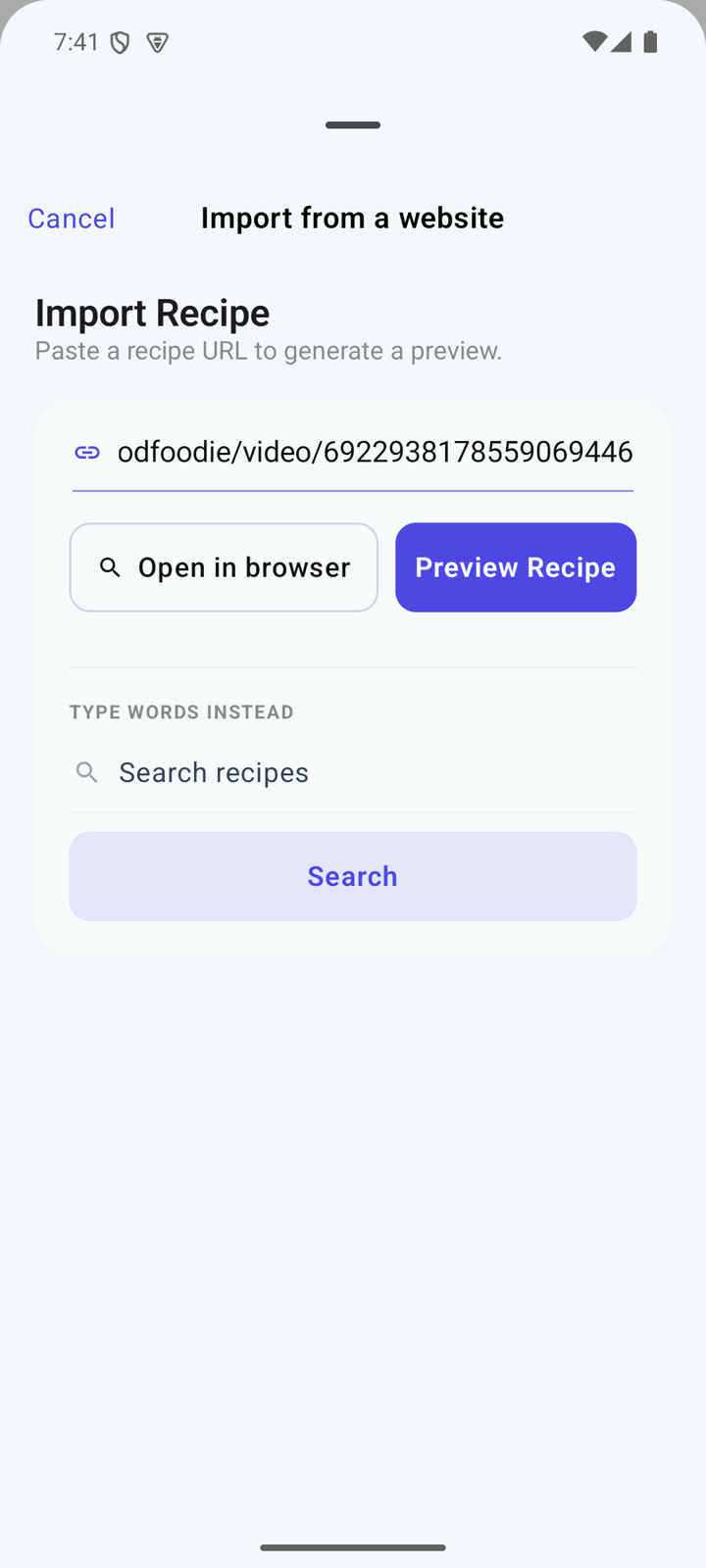
- Or copy the link instead. TikTok's share menu has a Copy link action; paste it into momoChef's import screen (in the app: the + button → Web) and tap Preview Recipe.
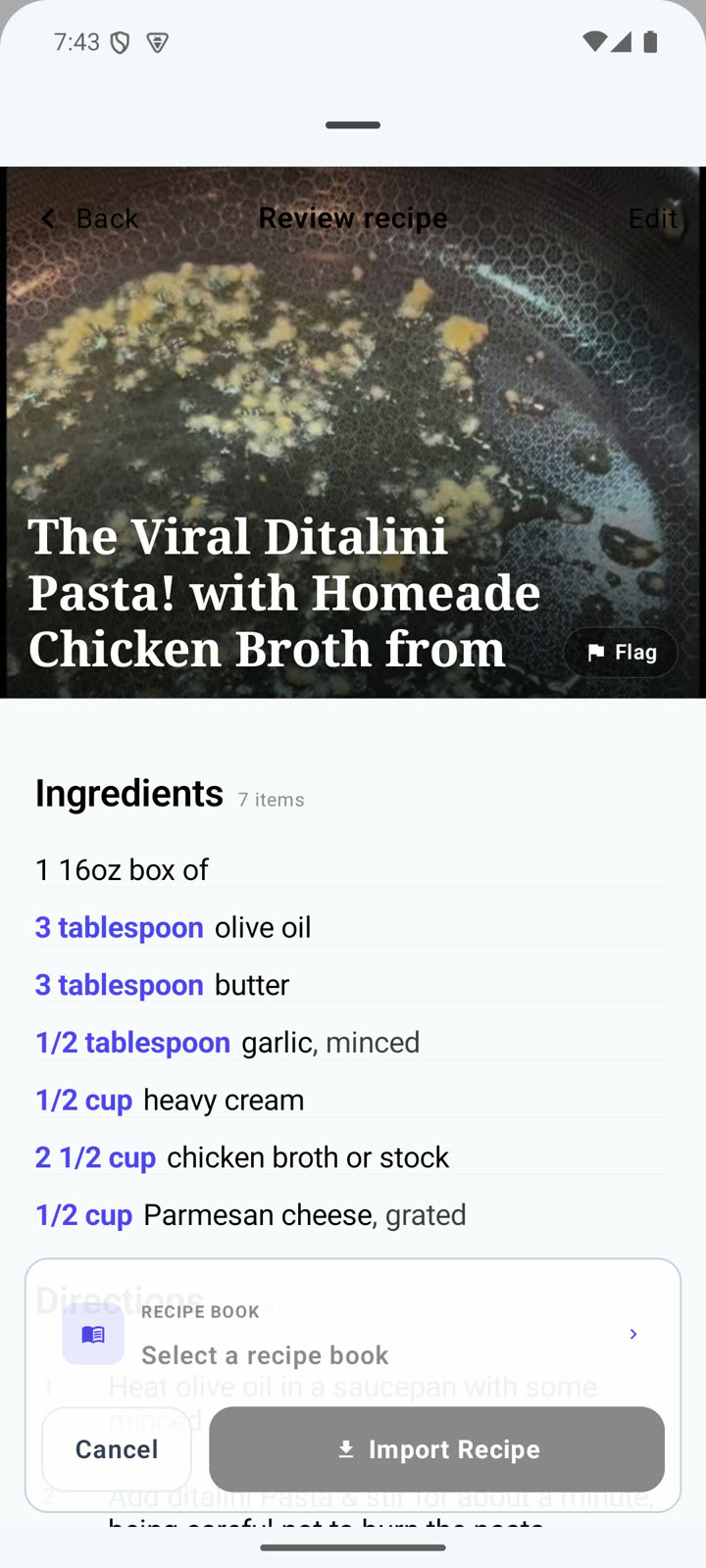
- Let the video import run. momoChef looks for recipe details in three places — the caption, the spoken audio, and the text shown on screen — and builds a draft from whatever it finds.
- Review the draft. This step matters more for TikTok than anywhere else: recipes spoken aloud or shown on screen carry their typos with them — if the video's text overlay spells a word wrong, the draft may copy it. The review screen shows every ingredient and step, editable in place.
- Pick the book and save. The recipe lands in your book like any other — scalable, printable, translatable, and plan-ready.
Import recipes from TikTok: what the import reads
Recipes on TikTok rarely live in one place. Some creators write the whole recipe in the caption; some say the steps out loud; most put the ingredients on screen as text overlays, one clip at a time. The video import reads all of it together — here's where recipes hide and what each path needs:
| Where the recipe lives | What momoChef reads | What you need |
|---|---|---|
| Written out in the caption | The caption is read as part of the video's evidence, alongside the rest | Premium |
| Spoken aloud in the audio | The audio is transcribed and the spoken steps become recipe steps | Premium |
| Shown as on-screen text | The video's frames are read for text overlays — ingredient lists, measurements | Premium |
| Spread across all three | The pipeline combines everything into one draft | Premium |
| Shared as a short vm.tiktok.com link | Short links import the same as full URLs | Premium |
| Nowhere in the post at all | Save the post itself to a book and paste the recipe in when it exists | Free |
Two honest limits: some videos can't be fetched, and those fail with a generic "Import Failed" message rather than a half-recipe; other videos produce incomplete drafts — a video whose recipe is genuinely unfinished yields a draft with half the ingredients. If a draft appears, the review screen is where you check for missing ingredients and steps before saving.
Save recipes from TikTok with the share sheet
The share sheet sends the link without copying it. In TikTok, tap the Share button on any post, scroll the app row, and tap momoChef — the link arrives in the app, where you review it and pick a book.
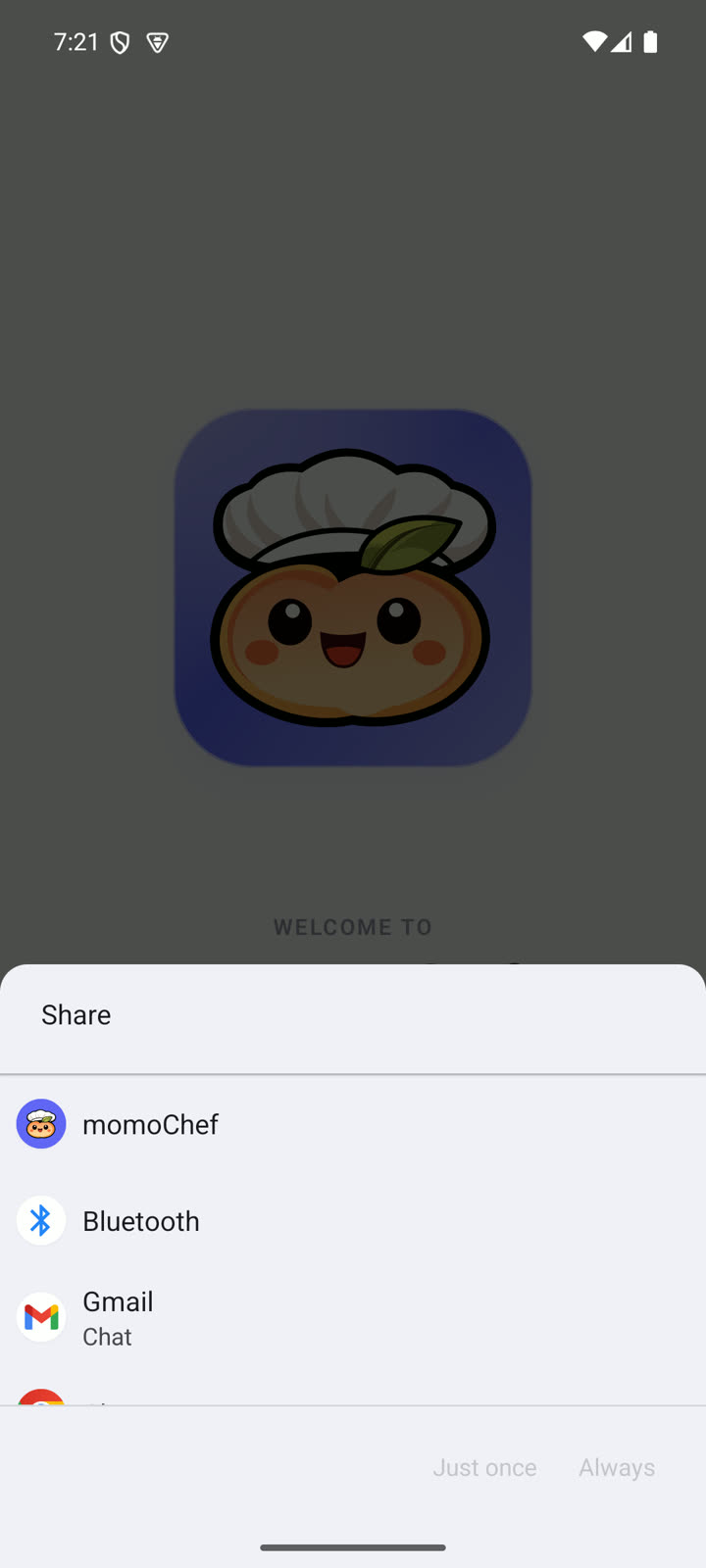
You can also try sharing a TikTok link from a mobile browser — any app that offers a share sheet can hand the link to momoChef.
Import recipes from TikTok by pasting the link
On a computer, or working from your favorites, pasting the link is the same import without the share sheet: copy the video's link — full links and short vm.tiktok.com ones both work — paste it into the import screen, and tap Preview Recipe.
The paste path is also the fallback if sharing doesn't work: copy the link and paste it into the import screen.
When the post has no recipe
Some TikToks look like recipes but aren't — a restaurant visit, a plating video, a half-finished series where part two never came. When the import can't find a recipe, momoChef doesn't hand you an empty editor: it offers to save the post itself into one of your books, keeping the link and a thumbnail. When the creator eventually posts the written version — or when you find it elsewhere — you convert the saved post by pasting the recipe in, and the bookmark turns into a real recipe without losing its source.
What it costs to save recipes from TikTok
Every account imports 25 recipes a month free, and imports from links, pasted text, and files are free sources. TikTok video imports run the transcription pipeline — reading captions, audio, and on-screen text costs more to run than a page parse — so they're part of Premium ($0.99/month or $9.99/year), which removes the monthly import limit. Saving a post without a recipe costs nothing on any plan.
FAQ
Does saving recipes from TikTok need Premium? Yes for video imports — reading captions, audio, and on-screen text is the Premium transcription pipeline. Saving a TikTok post that has no recipe, and converting it later by pasting text, is free.
Which videos can be imported? Public TikTok videos. Deleted, private, or region-locked posts can't be read, and you'll see a clear error rather than a broken draft.
The video spells an ingredient wrong — does the import copy the typo? It can; the draft is built from what the video shows and says. The review screen exists for exactly this — fix the draft before saving.
Can I import from TikTok on my computer? Yes — paste the video's link into the web app's import screen. It's the same video pipeline.
What about Instagram and YouTube recipes? The same import handles them: Instagram posts import from their link, and YouTube videos run the same transcription pipeline. The import recipes guide covers every source side by side.
Do my TikTok imports count against the free monthly limit? Free accounts get 25 imports a month across the free sources; Premium removes the monthly import limit.
Start small: with Premium, share one TikTok recipe to momoChef the next time one stops you mid-scroll — check the draft, choose a book, save. momoChef is free to start in the web app or the iOS app.