
To import recipes from YouTube, copy a video's link into momoChef. Premium uses the video's available text and audio to build a recipe draft you can review and edit — check the ingredients, quantities, and steps against the video before saving.
This guide covers how the import works, what it can read, and what to do when a video doesn't produce a usable draft.
How to import recipes from YouTube, step by step
- Find the recipe video and tap Share.
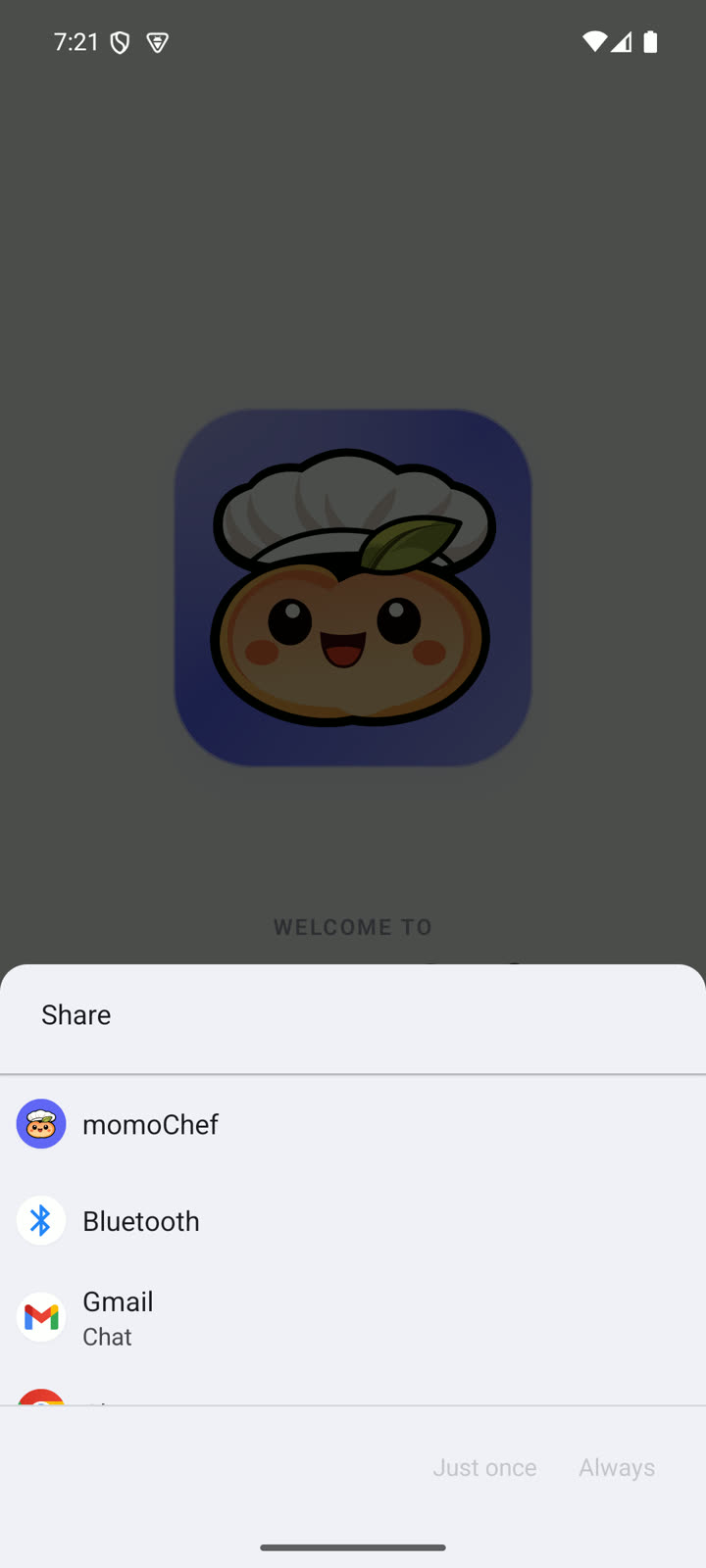
- Pick momoChef from your phone's share sheet, or copy the link and paste it into momoChef's import screen (in the app: the + button → Web). Either path starts the same import.
- Tap Preview Recipe. momoChef can use the description, captions, spoken audio, and on-screen text to build one editable draft.
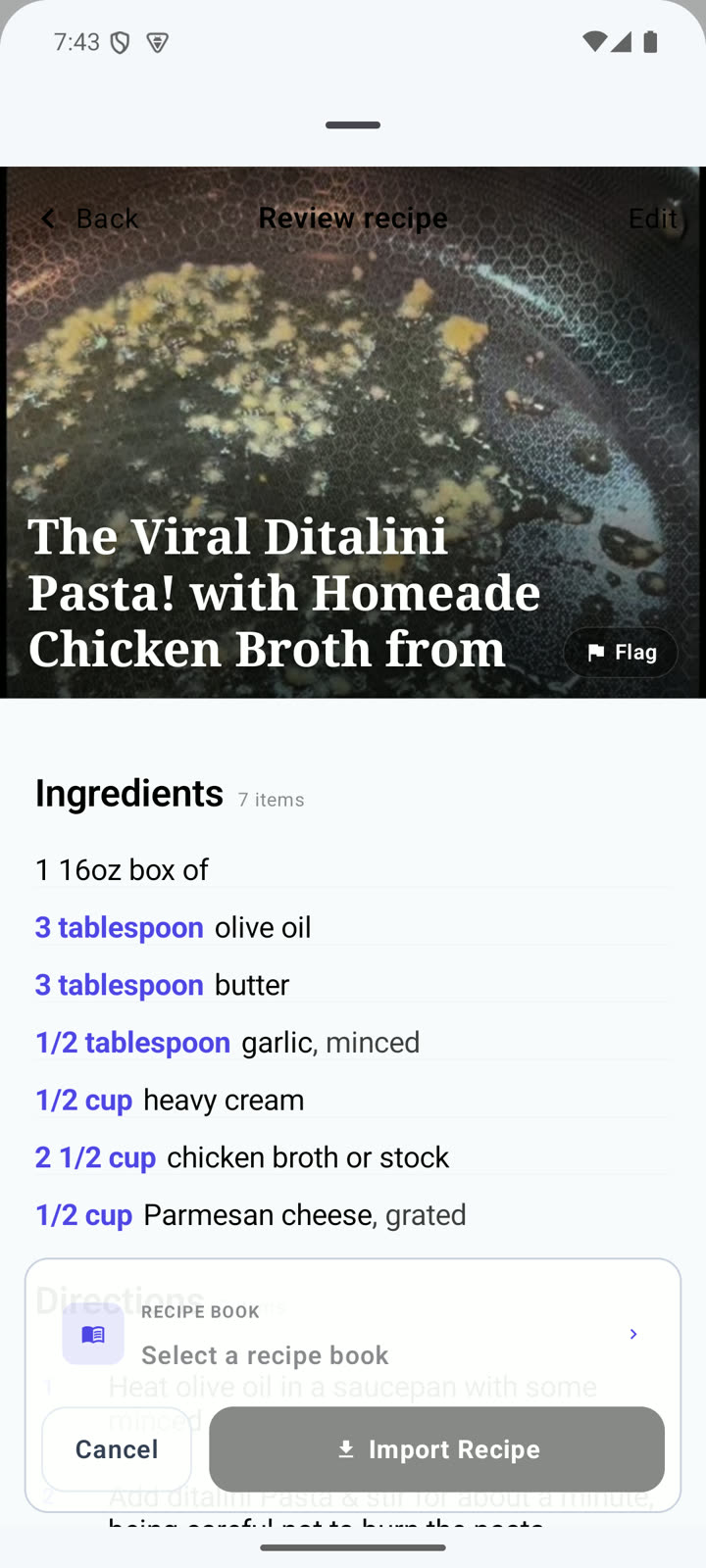
- Review the draft. Ingredients and steps, fully editable in place.
- Check the quantities and steps against the video. Auto-captions mishear words — "tablespoon" can become "table spoons" — so fix anything that is missing or incorrect before saving.
- Pick the book and save. From there it behaves like any recipe in your library: you can scale, print, or translate it and add it to a meal plan.
Import recipes from YouTube: what the import reads
Recipe videos carry their recipe in pieces — a line in the description here, a measurement spoken there, ingredients flashing on screen. The import works through that evidence and combines what it finds:
| Where the recipe lives | What momoChef reads | What you need |
|---|---|---|
| The video description | Read first — many creators paste the full recipe there | Premium |
| YouTube captions (auto or creator-written) | Read as part of the evidence | Premium |
| The spoken audio | Transcribed to fill gaps | Premium |
| On-screen text (ingredient overlays, step cards) | Read from the video frames | Premium |
| Several of these at once | Combined into one draft | Premium |
| Nowhere in the video | A "no recipe found" error | Premium |
Some videos don't contain enough recipe information to import. If momoChef shows a "no recipe found" error, check the video's description for a link to a written recipe and try importing that page instead — website imports read the full page and count toward the free plan's 25 monthly imports.
Save recipes from YouTube with the share sheet
Tap Share in YouTube, choose momoChef, then review the draft.
What makes a YouTube recipe import well
The import is only as good as the video's evidence. Videos like these produce drafts that need the least fixing:
- The creator pasted the recipe in the description — the most reliable source, and common on baking channels.
- Captions are turned on — auto-generated or creator-written, captions give the engine a written trace of every spoken step.
- The ingredients appear on screen as text when they're introduced — those overlays are read straight into the ingredient list.
- One recipe per video. A video that covers three dishes spreads its evidence thin; the draft may mix steps between them.
What it costs to import recipes from YouTube
YouTube imports require Premium ($0.99/month or $9.99/year) and use video import credits; they aren't included in the free plan's 25 monthly imports. Website imports read the full page and count toward the free plan's monthly imports instead. If a recipe you want lives on the website a video links to, importing that website is the free path.
FAQ
Do YouTube imports need Premium? Yes. They require Premium and use video import credits.
Which videos can I import from? Try a public YouTube recipe video, including a Short. If momoChef can't access the video or find a recipe, look for a written recipe linked in its description.
The video links a recipe website — should I import the video or the website? The website. Website imports read the full page and count toward the free plan's monthly imports; use the video import when the recipe only exists in the video itself.
Auto-captions got a word wrong — can I fix it? Yes. The draft is fully editable before you save; the review screen is exactly for this.
Do YouTube imports count against the free monthly limit? No. They require Premium and use video import credits; the free plan's 25 monthly imports cover website links, pasted text, and files.
What about TikTok and Instagram recipes? The same import handles them: Instagram posts import from the caption, and TikTok videos run this same engine. The import recipes guide covers every source side by side.
Ready to try it? With Premium and available video import credits, paste a YouTube recipe link into momoChef, review the draft and save it. momoChef is free to start in the web app or the iOS app.