

Cooking Mode
A distraction-free cooking experience designed for the kitchen. Follow step-by-step instructions, use built-in timers, check off ingredients, and never lose your place.
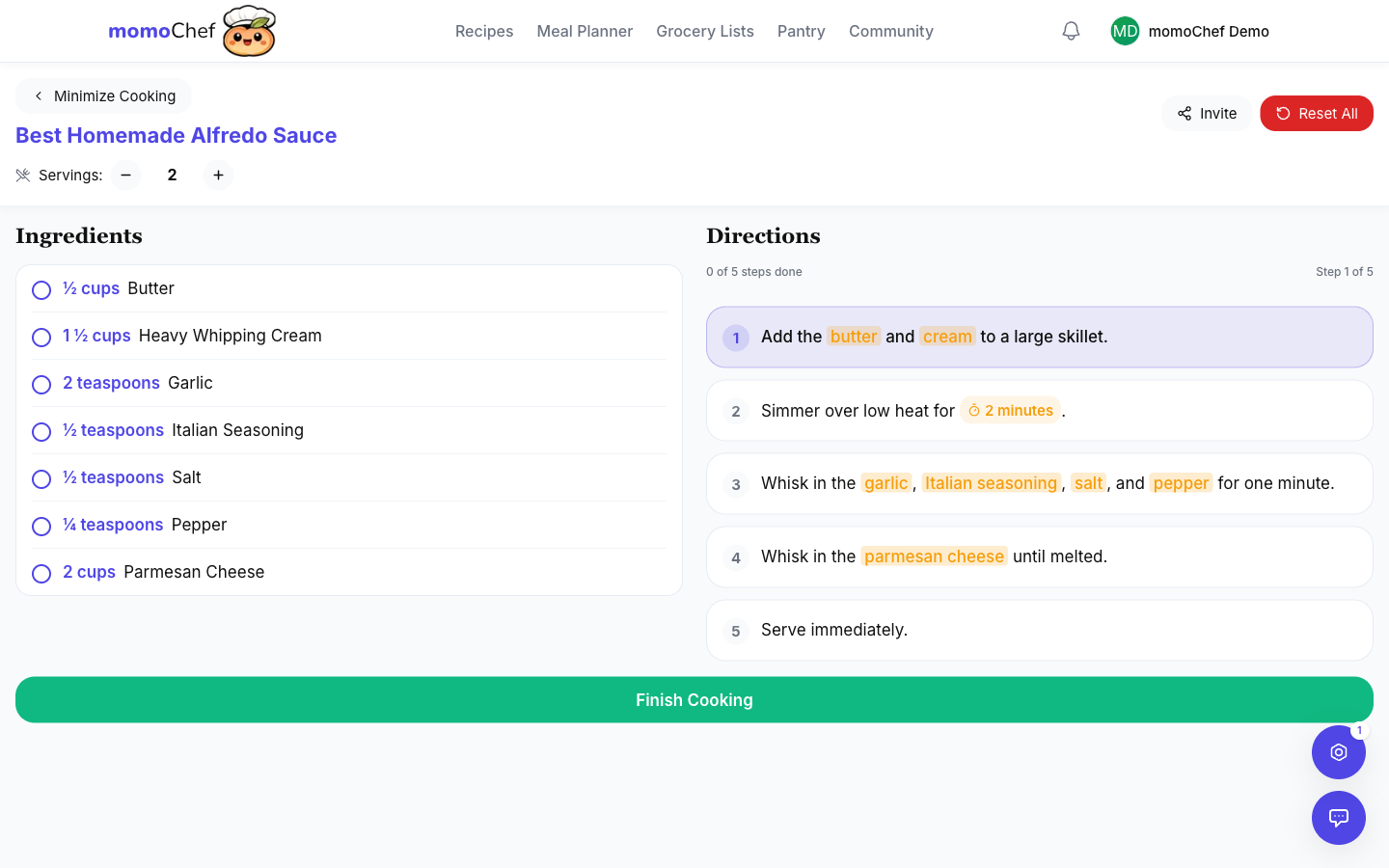
How to Use Cooking Mode
1
Start Cooking
Open any recipe and tap 'Start Cooking' to enter cooking mode
2
Gather Ingredients
Check off ingredients as you gather them at your prep station
3
Follow Steps
Each step is highlighted. Tap 'Next' when ready to move forward
4
Use Timers
Start built-in timers for steps that need them
5
Complete
Tap 'Finish' when done. Your progress is saved automatically
Features
Distraction-Free Interface
Clean, focused view designed for kitchen use
- Large, easy-to-read text
- High contrast for visibility in any lighting
- Current step highlighted prominently
- Previous steps marked complete
- Minimal visual clutter while cooking
Built-in Timers
Timers automatically detected from recipe instructions
- Auto-detects times mentioned in instructions
- Multiple simultaneous timers supported
- Haptic and sound notifications when timer completes
- Timer shown for each relevant step
- Start, pause, and cancel timers easily
Ingredient Check-Off
Mark ingredients as you use them
- Visual checklist of all ingredients
- Dim used ingredients to focus on what's left
- Pre-measure mode helps you prep ahead
- See at a glance what you've gathered
- Automatically saves your progress
Recipe Scaling
Adjust serving sizes on the fly
- Scale recipe up or down before cooking
- Ingredients automatically adjust
- Perfect for halving or doubling recipes
- See both original and scaled amounts
- Changes don't affect your saved recipe
Keep Screen Awake
Prevent your device from sleeping while cooking
- Option to keep screen on during cooking
- Prevents having to unlock with messy hands
- Adjustable timeout setting
- Auto-disables when cooking mode ends
- Battery-conscious - only active when cooking
Collaborative Cooking (Premium)
PremiumCook together with friends and family in real-time
- Share a cooking session code with others
- Everyone sees the same step progress
- Syncs timers across all participants
- Chat with cooking partners
- Great for cooking classes or family dinner prep
Tips for Better Cooking
- Read the full recipe first: Before starting, read through all steps to understand the full process and timing.
- Mise en place: Use the ingredient check-off to gather and prep everything before you start cooking.
- Enable keep-awake: Keep your screen on so you don't have to unlock with messy hands.
- Use timers liberally: Even if not explicitly mentioned, set timers for steps that could burn or overcook.